
Included With Every AccountStarter Kit
Morse Micro HaLow Basic Board Use Case
Live HaLow link, onboard temperature, humidity and motion, plus photos taken from the dashboard or the board’s button.
Overview
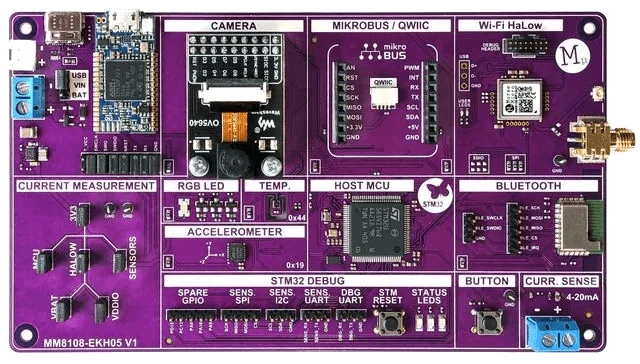
Every account includes the Basic Board use case. It runs on the evaluation kit as shipped, so you can see a Wi-Fi HaLow link and live readings on the dashboard before you buy any Click boards.
- Type
- Use case, included
- Application Area
- Starter Kit
- Adds
- Nothing; the kit as shipped
- History
- 7-Day Photos
- Alerts
- None
How It Works
- The evaluation kit’s onboard SHT40 measures temperature and humidity, and its IIS328DQ accelerometer measures tilt and movement.
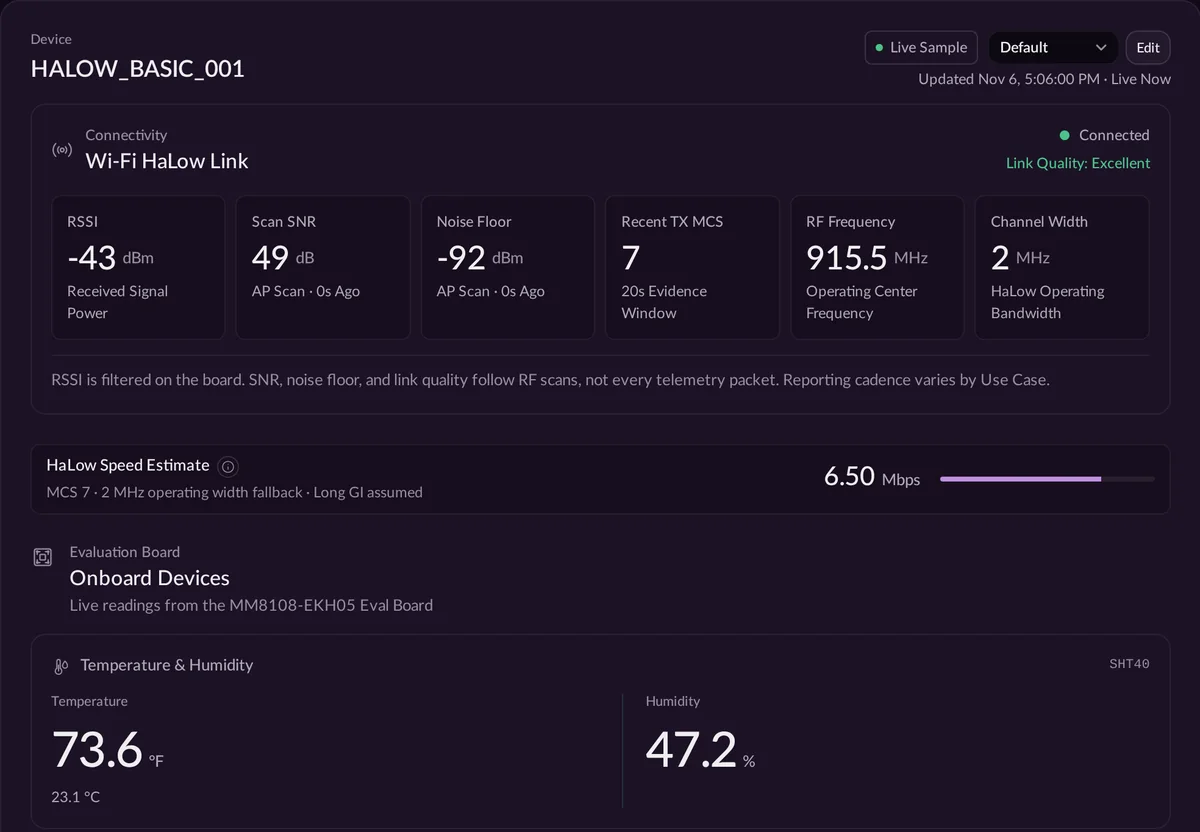
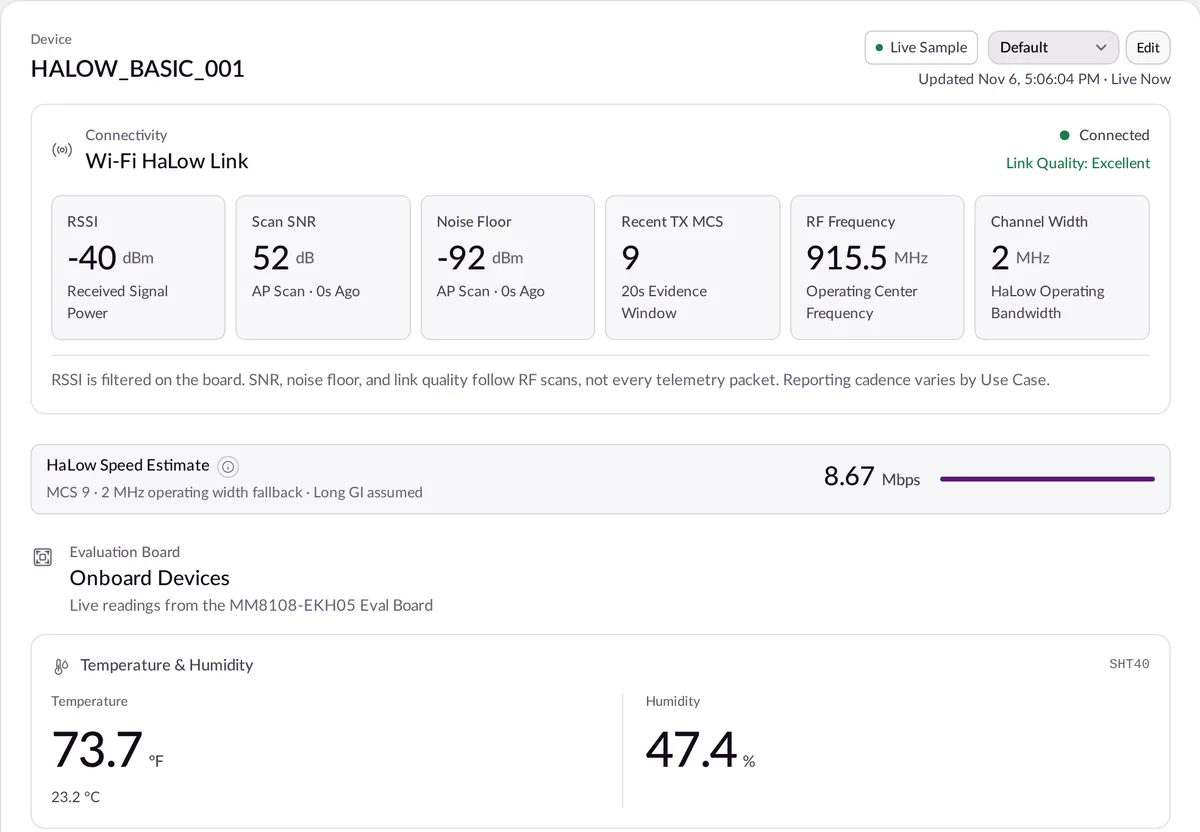
- The firmware publishes those readings with the HaLow link’s signal readings over MQTT. The dashboard turns the link’s MCS, channel width and guard interval into an estimated PHY rate.
- Take Snapshot on the dashboard, or a press of the board’s USER button, captures a 640 × 480 JPEG from the OV5640 camera.
- The server encrypts each photo before storing it and deletes it after seven days. Sensor readings are shown live and never stored.
What You See on the Dashboard
Live Dashboard
- Wi-Fi HaLow Link and HaLow Speed Estimate (estimated PHY rate)
- Onboard Devices: temperature, humidity and accelerometer orientation
- Camera Gallery with Take Snapshot
History
Camera Gallery keeps photos for seven days; sensor readings are live only
Alerts
None for this use case.
Controls
- Take Snapshot (or press the board’s USER button)
- Download or delete photos
Hardware You Need
Nothing to add. The evaluation kit, an access point and a computer are all it needs.
It Adds
Nothing. It runs on the unmodified evaluation kit.
Every Use Case Starts With
- MM8108-EKH05 Evaluation Kit Morse Micro MM8108 · STM32U585 host Every use case runs on this kit; Click boards plug into its mikroBUS socket at 3.3 V. Available at Mouser MM8108-EKH05 Evaluation Kit (opens in a new tab)
- Wi-Fi HaLow Access Point For example, the Morse Micro HaLowLink 2 Any compatible Wi-Fi HaLow network or access point connected to the internet. Available at Mouser Wi-Fi HaLow Access Point (opens in a new tab)
- Computer With HaLow Flasher Windows, macOS or Linux Installs the use case firmware on the evaluation kit over USB after you sign in.
How to Get It
- Create a free accountSign up on the HaLow Evaluation Platform. The Basic Board use case is already on it.
- Install it with HaLow FlasherDownload HaLow Flasher, connect the kit over USB and choose your Wi-Fi HaLow network.
- Open your dashboardThe kit appears with its HaLow link, live readings and camera as soon as it connects.
Limits
Sensor readings are live only, with no stored history or alerts, and photos are deleted after seven days.
Applications
- Home
- Check that a HaLow link reaches the far side of the house or a detached garage before you add sensors.
- Commercial
- Show a customer a live HaLow link, temperature readings and photos from their own building.
- Industrial
- Measure link quality and estimated PHY rate at the spots where sensors will go, before you choose sensor hardware.
Related Use Cases
-
 Ready to Flash
-
 Ready to Flash
-
 Ready to Flash
Start With the Basic Board
Create an account, install the Basic Board use case with HaLow Flasher and watch your kit report over Wi-Fi HaLow.