
Ready to FlashImaging & Ranging
Thermal & LiDAR Imaging
Live thermal heat maps and 8 × 8 depth maps from add-on arrays, alone or combined in one overlay.
Request This Use Case
On Your Account
Overview
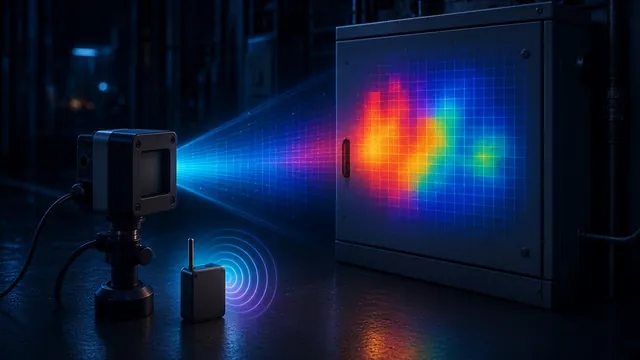
Thermal & LiDAR Imaging is for looking at heat and distance across a scene in real time. It shows a grid of temperatures and a grid of distances instead of a photo, so no camera image leaves the board.
- Type
- Ready to Flash
- Application Area
- Imaging & Ranging
- Adds
- IR Grid 4 Click or Grid-EYE Click, LightRanger 12 Click
- History
- Live only
- Alerts
- None
How It Works
- The thermal Click is a grid of infrared sensors, each reporting a temperature: 16 × 12 on the IR Grid 4 or 8 × 8 on the Grid-EYE.
- The LightRanger 12 Click times infrared laser pulses in an 8 × 8 grid of zones and reports a distance for each.
- The firmware detects which arrays are fitted and sends frames about four times per second.
- The dashboard draws them as a heat map, a depth map or a combined overlay. Nothing is stored.
What You See on the Dashboard
Live Dashboard
- Thermal Array: 16 × 12 or 8 × 8 temperature map
- LiDAR Array: 8 × 8 depth map or depth relief
- Combined Overlay of depth outlines on the heat map
- Frame age, valid cells and acquisition diagnostics
History
Live only. Readings are not stored.
Alerts
None for this use case.
Controls
- Demo or Stable color scale, Smooth Display, mirror and units (display preferences)
- Depth Map or Depth Relief
Hardware You Need
Click boards plug into the evaluation kit’s mikroBUS socket at 3.3 V. The firmware is built for the part numbers listed here.
This Use Case Adds
- IR Grid 4 Click MIKROE-6306 · Melexis MLX90641, 16 × 12 Thermal array, 16 × 12. Fit IR Grid 4 or Grid-EYE. Buy at MikroE IR Grid 4 Click (opens in a new tab)
- Or Grid-EYE Click MIKROE-2539 · Panasonic AMG8853, 8 × 8 Thermal array, 8 × 8. Buy at MikroE Grid-EYE Click (opens in a new tab)
- LightRanger 12 Click MIKROE-6465 · ST VL53L8CH, 8 × 8 Depth array. Add it alone or with a thermal Click. Buy at MikroE LightRanger 12 Click (opens in a new tab)
Optional
- Shuttle Click and mikroBUS Shuttles MIKROE-2880 plus one MIKROE-2882 per Click · bundle MIKROE-3785 Needed to fit a thermal Click and the LiDAR Click together.
Every Use Case Starts With
- MM8108-EKH05 Evaluation Kit Morse Micro MM8108 · STM32U585 host Every use case runs on this kit; Click boards plug into its mikroBUS socket at 3.3 V. Available at Mouser MM8108-EKH05 Evaluation Kit (opens in a new tab)
- Wi-Fi HaLow Access Point For example, the Morse Micro HaLowLink 2 Any compatible Wi-Fi HaLow network or access point connected to the internet. Available at Mouser Wi-Fi HaLow Access Point (opens in a new tab)
- Computer With HaLow Flasher Windows, macOS or Linux Installs the use case firmware on the evaluation kit over USB after you sign in.
How to Get It
- Choose Request This Use CaseTell Pace Wireless about your project. Signed in, your account is attached for you.
- Talk it through on a callPace Wireless contacts you to set up a call, then enables the use case on your account.
- Install it with HaLow FlasherHaLow Flasher installs it on the kit over USB, and its dashboard opens with your device.
Limits
Views are live only, with no stored history, alerts, presence detection or people counting.
Applications
- Home
- Live heat maps for appliance and workshop hot-spot checks, without a camera.
- Commercial
- Live hot-spot checks of mechanical rooms and equipment cabinets, and depth views that show no faces.
- Industrial
- Live thermal and depth views of motors, bearings and workspaces during inspections.
Related Use Cases
-
 Sensor Profile
-
 Sensor Profile
-
 Ready to Flash
Bring Thermal & LiDAR Imaging to Your Project
Tell Pace Wireless about your project. After a call, Pace Wireless enables it on your account.