
Ready to FlashPresence & Activity
Doorway & Entrance Motion
Doorway and entrance motion from one or two digital PIR sensors, with inferred presence and sensor health.
Request This Use Case
On Your Account
Overview
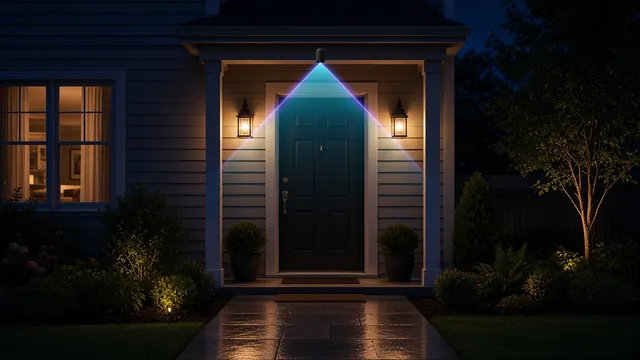
Doorway & Entrance Motion is for knowing when someone passes a doorway or entry, and whether the area has been quiet since.
- Type
- Ready to Flash
- Application Area
- Presence & Activity
- Adds
- PIR 3 Click or PIR 4 Click
- History
- 30-Day History
- Alerts
- 4 built in
How It Works
- The pyroelectric sensor on the PIR 3 or PIR 4 Click picks up changing infrared from a person moving through its view. The firmware reads it about 100 times a second.
- A detector compares the signal with a threshold and holds motion for two seconds. Presence is inferred for 120 seconds after the last motion.
- With both Clicks fitted, each covers its own zone. Motion seen by both within three seconds is marked as corroborated.
- The server sends PIR motion detected and keeps 30 days of PIR history.
What You See on the Dashboard
Live Dashboard
- PIR Overview: motion and inferred presence per zone, event counts, onboard temperature and humidity
- PIR Signal: signed signal against each zone’s threshold
- PIR Diagnostics
History
30-day PIR History with CSV export
Alerts
- PIR motion detected
- PIR presence cleared (opt-in)
- PIR sensor fault / restored
- PIR motion corroborated (opt-in, two sensors)
Controls
- Export CSV
- Clear History for all sensors or one sensor
Hardware You Need
Click boards plug into the evaluation kit’s mikroBUS socket at 3.3 V. The firmware is built for the part numbers listed here.
This Use Case Adds
- PIR 3 Click MIKROE-6290 · Zilog ZDP323B1, 148° × 136° lens Run at 3.3 V; reboot after changing sensors. Buy at MikroE PIR 3 Click (opens in a new tab)
- Or PIR 4 Click MIKROE-6859 · Murata IRS-D200ST00R1 Buy at MikroE PIR 4 Click (opens in a new tab)
Optional
- Second PIR Click PIR 3 or PIR 4, whichever is not fitted Fitting both adds a second zone and corroborated motion.
- Shuttle Click and mikroBUS Shuttles MIKROE-2880 plus one MIKROE-2882 per Click · bundle MIKROE-3785 Needed to fit PIR 3 and PIR 4 together.
Every Use Case Starts With
- MM8108-EKH05 Evaluation Kit Morse Micro MM8108 · STM32U585 host Every use case runs on this kit; Click boards plug into its mikroBUS socket at 3.3 V. Available at Mouser MM8108-EKH05 Evaluation Kit (opens in a new tab)
- Wi-Fi HaLow Access Point For example, the Morse Micro HaLowLink 2 Any compatible Wi-Fi HaLow network or access point connected to the internet. Available at Mouser Wi-Fi HaLow Access Point (opens in a new tab)
- Computer With HaLow Flasher Windows, macOS or Linux Installs the use case firmware on the evaluation kit over USB after you sign in.
How to Get It
- Choose Request This Use CaseTell Pace Wireless about your project. Signed in, your account is attached for you.
- Talk it through on a callPace Wireless contacts you to set up a call, then enables the use case on your account.
- Install it with HaLow FlasherHaLow Flasher installs it on the kit over USB, and its dashboard opens with your device.
Limits
Presence is assumed for two minutes after the last motion, so a person who stands still longer than that reads as clear.
Applications
- Home
- Activity reports when someone crosses a doorway or an indoor garage entry.
- Commercial
- After-hours movement at stockroom and back-office doors, with two-sensor corroboration to cut false alarms.
- Industrial
- Movement reports through indoor storeroom and equipment-room entrances. Monitoring only, not a personnel-protection interlock.
Related Use Cases
-
 Ready to Flash
-
 Ready to Flash
-
 Ready to Flash
Bring Doorway & Entrance Motion to Your Project
Tell Pace Wireless about your project. After a call, Pace Wireless enables it on your account.