
Ready to FlashEnvironment & Air
Multi-Function Environmental Sensor
Temperature, humidity and light for attics and hard-to-reach spaces, with 30-day trends and your own alert ranges.
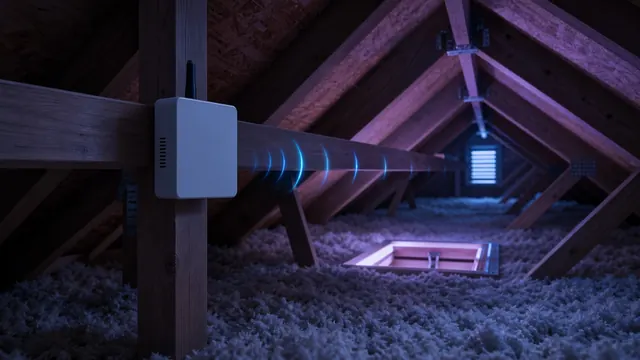
Overview
Multi-Function Environmental Sensor is for spaces you rarely go into, such as an attic or a crawl space. It tracks temperature, humidity and light there and alerts you on the ranges you set.
- Type
- Ready to Flash
- Application Area
- Environment & Air
- Adds
- Temp&Hum 14 Click, Ambient 22 Click, Shuttle Click and mikroBUS Shuttles
- History
- 30-Day History
- Alerts
- 4 built in
How It Works
- The Temp&Hum 14 Click is the primary temperature and humidity sensor. The evaluation kit’s onboard SHT40 is a reference, and the Ambient 22 Click measures light.
- The firmware reads all three sensors every 30 seconds and publishes the results.
- The server checks each reading against your low and high ranges, and alerts when one goes out of range and when it recovers.
- History keeps a five-minute summary (average, low and high) for 30 days. Attic Status rates the attic from temperature, humidity, dew point and the attic type you choose.
What You See on the Dashboard
Live Dashboard
- Environmental Conditions: primary temperature, humidity, ambient light and onboard reference
- Attic Status with dew point
- Outside Weather from nearby National Weather Service stations (U.S. only)
- Alerts and Notification Status
History
30 days of five-minute summaries (averages with lows and highs) in Environmental Trends and Reading Activity, with CSV export
Alerts
- Temperature low / high, and recovered
- Humidity low / high, and recovered
- Ambient light low / high, and recovered
- Primary climate, reference climate and ambient light sensor fault / restored
Controls
- Set low and high alert ranges for temperature, humidity and light
- Configure Attic Sensor: attic type, site ZIP and time zone
- Download CSV or Clear History
Hardware You Need
Click boards plug into the evaluation kit’s mikroBUS socket at 3.3 V. The firmware is built for the part numbers listed here.
This Use Case Adds
- Temp&Hum 14 Click MIKROE-4306 · TE Connectivity HTU31D Buy at MikroE Temp&Hum 14 Click (opens in a new tab)
- Ambient 22 Click MIKROE-5647 · TI OPT3005 Set the address jumper to 0x45; firmware reads only 0x45. Buy at MikroE Ambient 22 Click (opens in a new tab)
- Shuttle Click and mikroBUS Shuttles MIKROE-2880 plus one MIKROE-2882 per Click · bundle MIKROE-3785 Fits both Clicks on the evaluation kit’s single socket.
Every Use Case Starts With
- MM8108-EKH05 Evaluation Kit Morse Micro MM8108 · STM32U585 host Every use case runs on this kit; Click boards plug into its mikroBUS socket at 3.3 V. Available at Mouser MM8108-EKH05 Evaluation Kit (opens in a new tab)
- Wi-Fi HaLow Access Point For example, the Morse Micro HaLowLink 2 Any compatible Wi-Fi HaLow network or access point connected to the internet. Available at Mouser Wi-Fi HaLow Access Point (opens in a new tab)
- Computer With HaLow Flasher Windows, macOS or Linux Installs the use case firmware on the evaluation kit over USB after you sign in.
How to Get It
- Choose Request This Use CaseTell Pace Wireless about your project. Signed in, your account is attached for you.
- Talk it through on a callPace Wireless contacts you to set up a call, then enables the use case on your account.
- Install it with HaLow FlasherHaLow Flasher installs it on the kit over USB, and its dashboard opens with your device.
Limits
It is not a fire, smoke or carbon-monoxide alarm, and it does not switch fans or HVAC.
Applications
- Home
- Attic and crawl-space temperature and humidity on your phone, with alerts when they leave your ranges.
- Commercial
- Roof-space and utility-loft temperature, humidity and light trends for property and facilities teams.
- Industrial
- High-temperature and humidity trend monitoring in equipment lofts, unconditioned enclosures and service spaces.
Related Use Cases
-
 Ready to Flash
-
 Sensor Profile
-
 Sensor Profile
Bring Multi-Function Environmental Sensor to Your Project
Tell Pace Wireless about your project. After a call, Pace Wireless enables it on your account.