
Sensor ProfileLight
Human-Eye Ambient Light
Could measure illuminance in lux matched to human vision, with infrared rejected, and alert on low or high light.
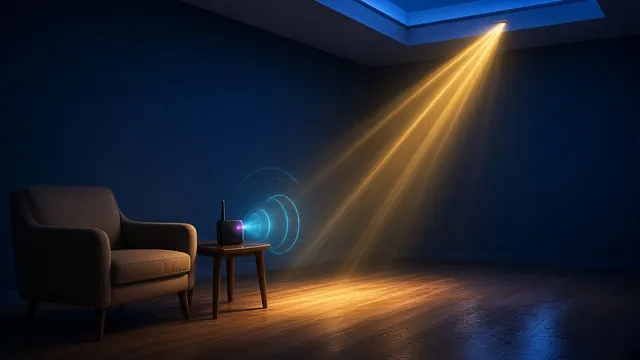
Overview
This profile is for measuring light the way people see it, at a desk, a shelf or a window. The Mailbox Activity Sensor already supports this Click as its light sensor.
Not built yet. Pace Wireless turns the Ambient 2 Click into a use case for your project and confirms what it provides on a call.
- Type
- Sensor Profile
- Sensing
- Light
- Sensor
- Ambient 2 Click
- History
- 30-Day History
- Alerts
- 1 possible
How It Works
How the Ambient 2 Click works, and what firmware built on it could do.
- The TI OPT3001 measures illuminance in lux, with a spectral response close to the human eye and infrared rejected.
- Firmware for this profile could label each reading dark, normal or bright and send it to the platform.
- The server could compare readings with your low and high thresholds and alert when light crosses one.
What It Could Provide
Not built yet. These are the things it could provide; Pace Wireless confirms them with you before building it.
Live Dashboard
- Ambient light in lux
- Light level (dark, normal or bright)
History
30 days of charts and history with CSV export
Alerts
- Light low / high, and recovered
Controls
- Set low and high light thresholds
Hardware You Need
The Click board plugs into the evaluation kit’s mikroBUS socket at 3.3 V.
The Sensor
- Ambient 2 Click MIKROE-1903 · TI OPT3001 Set the address jumper to 0x45; 0x44 is used by the EVK’s onboard SHT40. Buy at MikroE Ambient 2 Click (opens in a new tab)
Every Use Case Starts With
- MM8108-EKH05 Evaluation Kit Morse Micro MM8108 · STM32U585 host Every use case runs on this kit; Click boards plug into its mikroBUS socket at 3.3 V. Available at Mouser MM8108-EKH05 Evaluation Kit (opens in a new tab)
- Wi-Fi HaLow Access Point For example, the Morse Micro HaLowLink 2 Any compatible Wi-Fi HaLow network or access point connected to the internet. Available at Mouser Wi-Fi HaLow Access Point (opens in a new tab)
- Computer With HaLow Flasher Windows, macOS or Linux Installs the use case firmware on the evaluation kit over USB after you sign in.
How to Get It
- Choose Turn This Into a Use CaseTell Pace Wireless about your project and how you would use this sensor.
- Talk it through on a callPace Wireless confirms what it will provide and builds the firmware and dashboard.
- Install it with HaLow FlasherOnce it is enabled on your account, HaLow Flasher installs it over USB.
Limits
It measures visible light at the sensor, not the light level across a whole room.
Applications
- Home
- Room light-level trends and alerts to help you decide when to use lights or shades.
- Commercial
- Daylight measurements that show where natural light could trim lighting energy.
- Industrial
- Light-level checks across walkways, control platforms and shipping bays.
Related Use Cases
-
 Sensor Profile
-
 Ready to Flash
-
 Ready to Flash
Turn This Sensor Into a Use Case
Tell Pace Wireless what you want this sensor to do. After a call about your project, Pace Wireless builds it.