
Sensor ProfileSound
Sound Level Event Detection
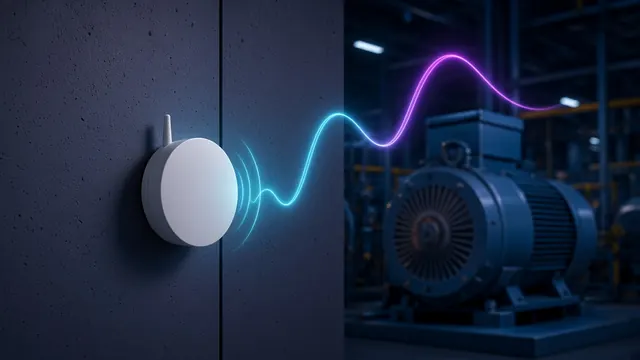
Could flag loud-sound events when noise crosses an adjustable threshold, without recording or sending audio.
Overview
This profile is for knowing that something loud happened, such as banging or barking, without recording any sound.
Not built yet. Pace Wireless turns the Noise Click into a use case for your project and confirms what it provides on a call.
- Type
- Sensor Profile
- Sensing
- Sound
- Sensor
- Noise Click
- History
- 30-Day History
- Alerts
- 1 possible
How It Works
How the Noise Click works, and what firmware built on it could do.
- The microphone on the Noise Click feeds an ADI LTC1966 RMS detector, which turns sound into a level that rises with loudness.
- The Click compares that level with a threshold set by its MCP4921 DAC and signals the board when the level crosses it.
- Firmware for this profile could set the threshold, count loud events and send the level to the platform. No audio would leave the board.
What It Could Provide
Not built yet. These are the things it could provide; Pace Wireless confirms them with you before building it.
Live Dashboard
- Relative sound level
- Loud-event state and count
History
30-day event history with CSV export
Alerts
- Loud sound detected / quiet again
Controls
- Set the sound threshold
Hardware You Need
The Click board plugs into the evaluation kit’s mikroBUS socket at 3.3 V.
The Sensor
- Noise Click MIKROE-2371 · Microchip MCP4921 threshold DAC, ADI LTC1966 RMS detector 3.3 V only. Buy at MikroE Noise Click (opens in a new tab)
Every Use Case Starts With
- MM8108-EKH05 Evaluation Kit Morse Micro MM8108 · STM32U585 host Every use case runs on this kit; Click boards plug into its mikroBUS socket at 3.3 V. Available at Mouser MM8108-EKH05 Evaluation Kit (opens in a new tab)
- Wi-Fi HaLow Access Point For example, the Morse Micro HaLowLink 2 Any compatible Wi-Fi HaLow network or access point connected to the internet. Available at Mouser Wi-Fi HaLow Access Point (opens in a new tab)
- Computer With HaLow Flasher Windows, macOS or Linux Installs the use case firmware on the evaluation kit over USB after you sign in.
How to Get It
- Choose Turn This Into a Use CaseTell Pace Wireless about your project and how you would use this sensor.
- Talk it through on a callPace Wireless confirms what it will provide and builds the firmware and dashboard.
- Install it with HaLow FlasherOnce it is enabled on your account, HaLow Flasher installs it over USB.
Limits
It measures relative loudness, not calibrated decibels, and cannot tell breaking glass from a slammed door.
Applications
- Home
- Loud-event alerts while you are away, such as banging, barking or a storm, with no voice recording.
- Commercial
- After-hours noise alerts for offices, shops and rental units.
- Industrial
- Changes in machine noise and loud impact events across loading yards.
Related Use Cases
-
 Ready to Flash
-
 Ready to Flash
-
 Ready to Flash
Turn This Sensor Into a Use Case
Tell Pace Wireless what you want this sensor to do. After a call about your project, Pace Wireless builds it.